
Download ServMod
The free version for Android 7.0 or newer. It needs no account and no code, and it works without a mobile signal.
Checking the latest version...
Chrome will warn that the file "might be harmful": tap Download anyway. How to install
The first public version is being published. Leave your e-mail and we will tell you the day it is ready.
What the free version does
Reads and saves drive parameters, compares a backup with a drive, shows faults, and has the cable and wiring cheat sheets. Writing parameters back, restore and manual control are in Pro or Subscription, which you buy inside the app. Plans and prices.
Install in four steps
You will see two or three warnings from Android. They appear for every app installed outside Google Play. If you already downloaded this file before, Chrome may also ask "Download file again?"; tap Download again.
- Tap Download free version and wait for the file (about 22 MB). Chrome warns that an APK file might be harmful. This is normal for any app that is not from Google Play: tap Download anyway.
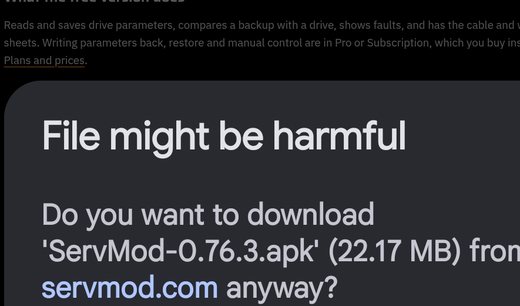
Chrome: tap Download anyway - Tap Open on the "File downloaded" message (or open it from Downloads). If Android asks, allow your browser or Files app to install apps from this source, then tap Install.
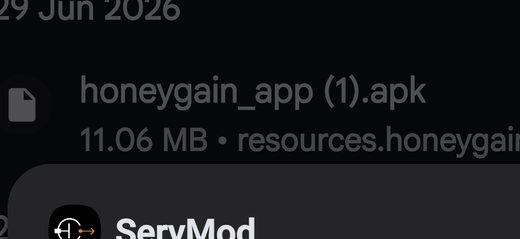
Android: tap Install - Google Play Protect says the app is unknown, because it is not on Google Play yet. Choose Send this time or Don't send; both continue the installation. If it blocks the install, choose More details, then Install anyway.
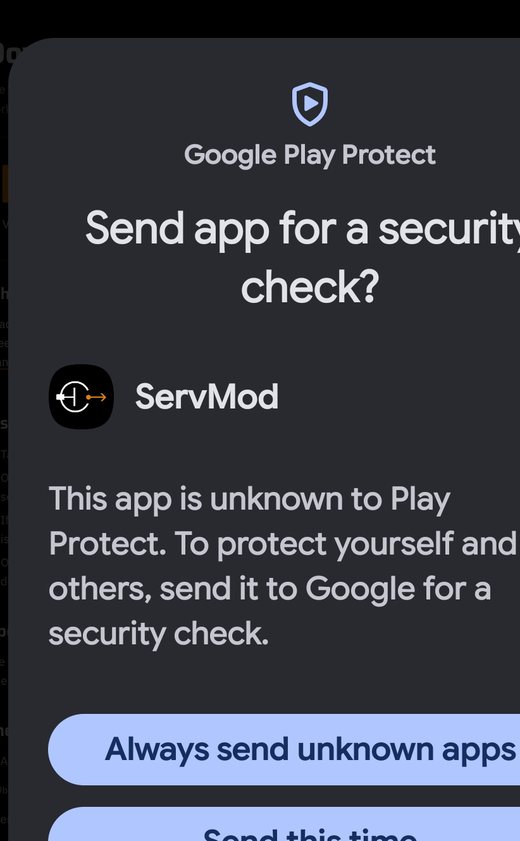
Play Protect: Send this time or Don't send - Open ServMod, read the terms and start. Plug in your OTG adapter and cable when you reach a drive.
Updates
The app checks this site for a new version and tells you. It downloads only a small version file. Nothing else is sent.
Check the file
SHA-256 of the current file, to compare after the download:
Questions? See the connection guides or support.