
Supported equipment / Danfoss VLT 2800
Danfoss VLT 2800 parameter backup and restore from an Android phone
Back up the settings of a Danfoss VLT 2800 on your phone, then restore them to a replacement drive in minutes. No laptop, no mobile signal and no software to install on a PC.
Tested on a drive Tested on a real drive: read, write, restore, control and live values.
Download free for AndroidAll wiring diagrams
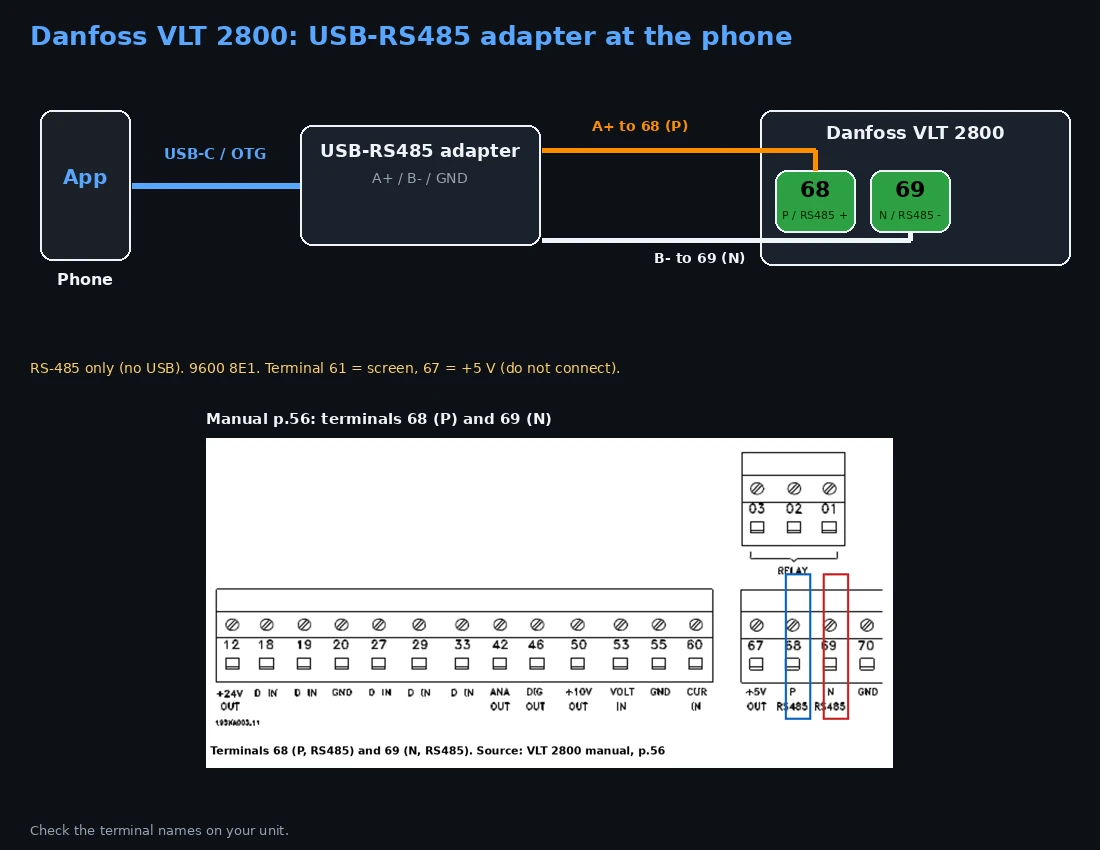
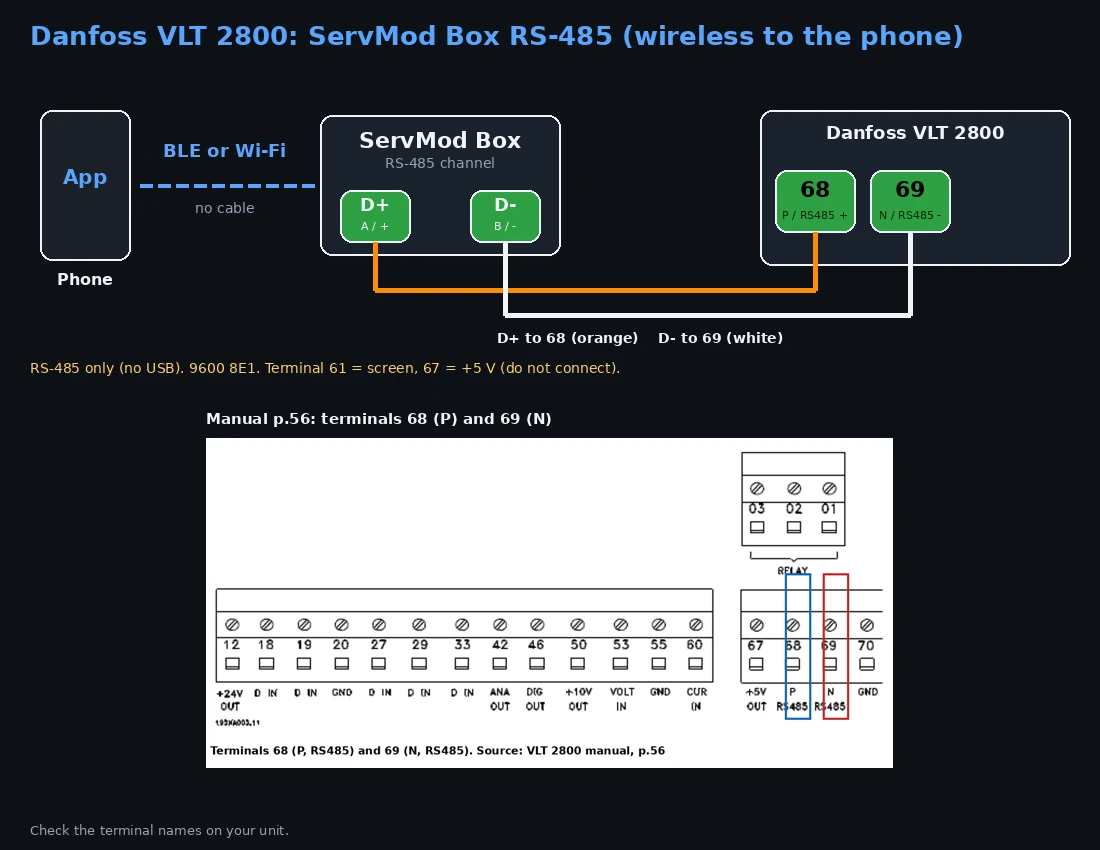
How to connect it
- USB-RS485 adapter on terminals 68 (P) and 69 (N). 9600 baud, 8E1, terminal 61 is the screen.
- ServMod Box RS-485 channel to 68 and 69.
Terminal names differ between production batches. Check the names printed on your unit before you wire anything, and bench-test before you touch a production machine.
What you can do with it in ServMod
- Read all parameters and save them as a backup file on the phone. Free.
- Compare a backup with a drive and see every difference. Free.
- Watch live values and fault history, and look up fault causes. Free.
- Edit parameters, restore a backup to a new drive, run the motor manually and reset faults. Part of the Pro plan.
Good to know
- RS-485 only: this drive has no USB port.
- ServMod is an independent tool. It is not made, approved or supported by Danfoss.
Same brand: Danfoss VLT FC 280.
Using a different drive? Tell us which one you need. See also the cables and adapters you need.