
Supported equipment / Omron E5CN temperature controller
Omron E5CN temperature controller: read and set parameters from an Android phone
Read and set an Omron E5CN temperature controller over RS-485 with your phone, without the Omron PC software.
Not yet tried on a drive Draft: tested on the bench only so far.
Download free for AndroidAll wiring diagrams
How to connect it
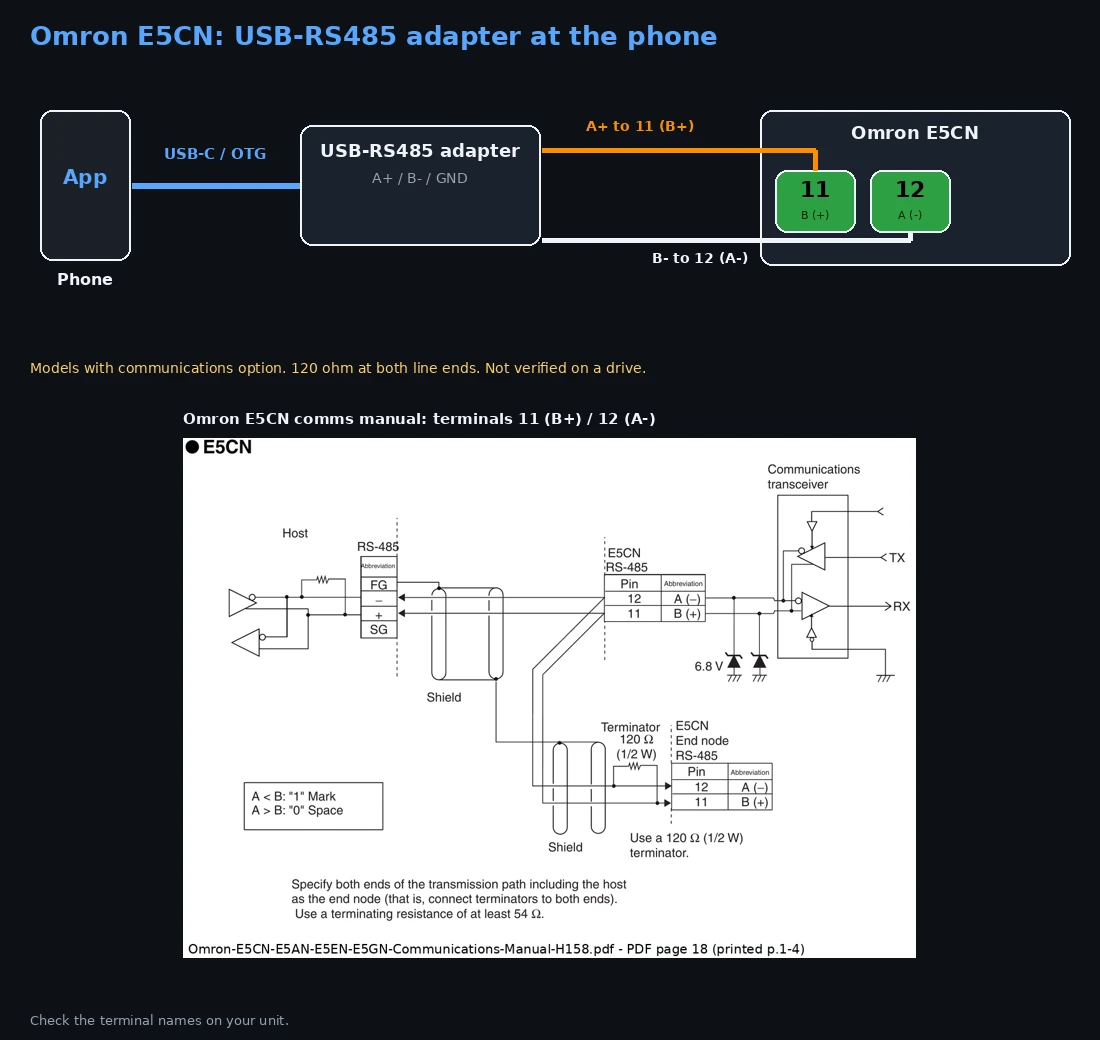
- USB-RS485 adapter on terminals 11 (B+) and 12 (A-). The model needs the communications option; 120 ohm termination at both ends of the line.
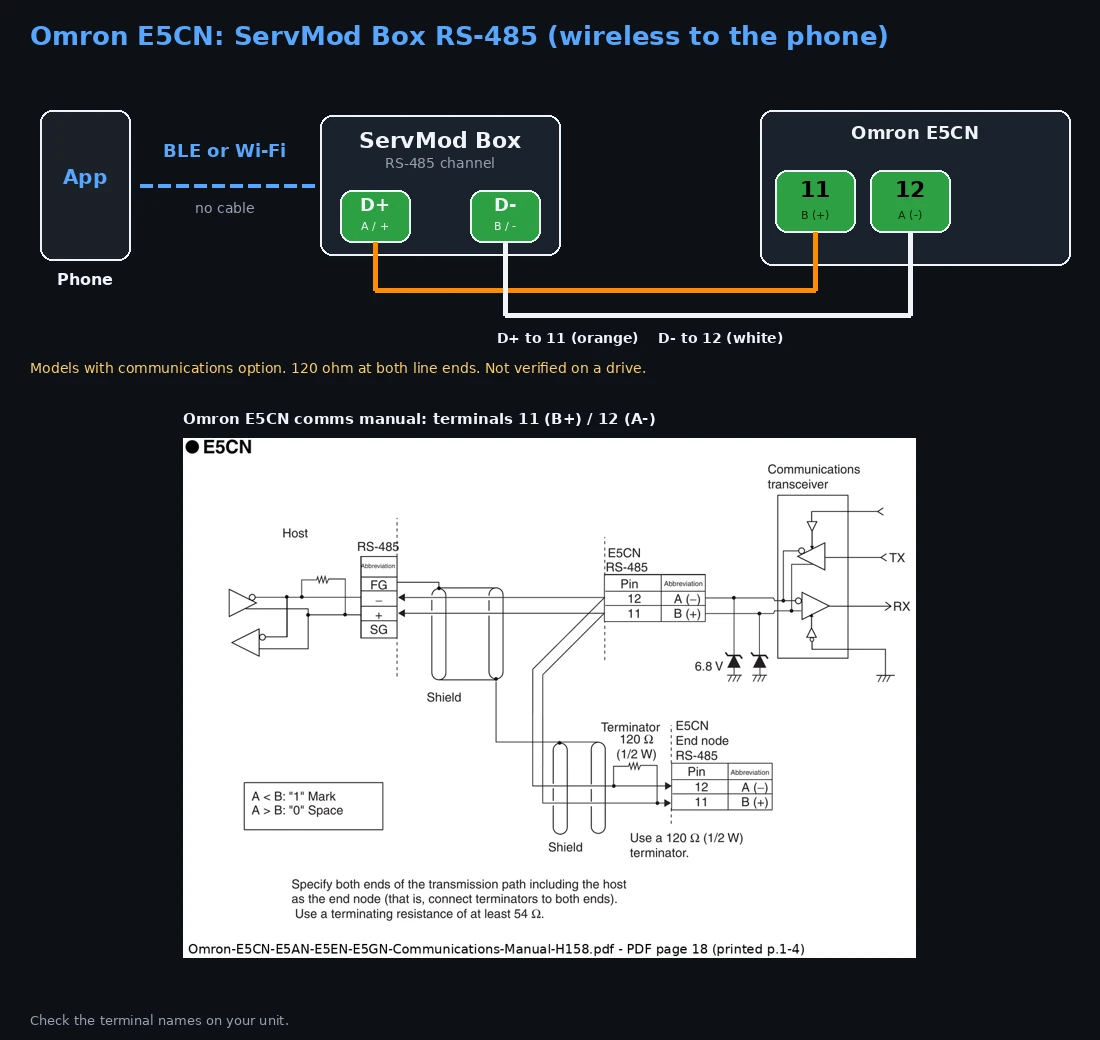
- ServMod Box RS-485 channel to terminals 11 and 12.
Terminal names differ between production batches. Check the names printed on your unit before you wire anything, and bench-test before you touch a production machine.
What you can do with it in ServMod
- Read the present value, setpoint, alarms and parameters. Free.
- Save the parameters as a backup file.
- Change the setpoint and parameters. Part of the Pro plan.
Good to know
- Read the present value, setpoint, alarms and parameters; back up and set parameters.
- ServMod is an independent tool. It is not made, approved or supported by Omron.
Same brand: Omron 3G3MX2 (MX2).
Using a different controller? Tell us which one you need. See also the cables and adapters you need.