
Supported equipment / Siemens OP17 operator panel
Siemens OP17 operator panel: backup and write from an Android phone
Copy the project and system of a Siemens OP17 operator panel to a backup file and write it to a spare panel, with a phone and a USB-RS232 adapter.
Draft Draft. Writing to a clean spare panel works and the dump matches byte for byte; starting the panel on a machine is not tested.
Download free for AndroidAll wiring diagrams
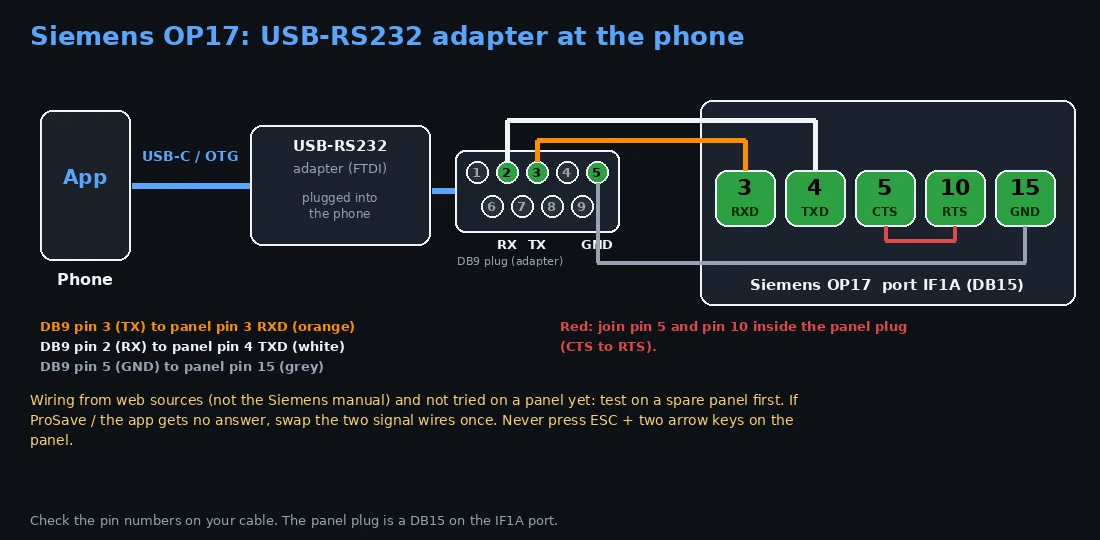
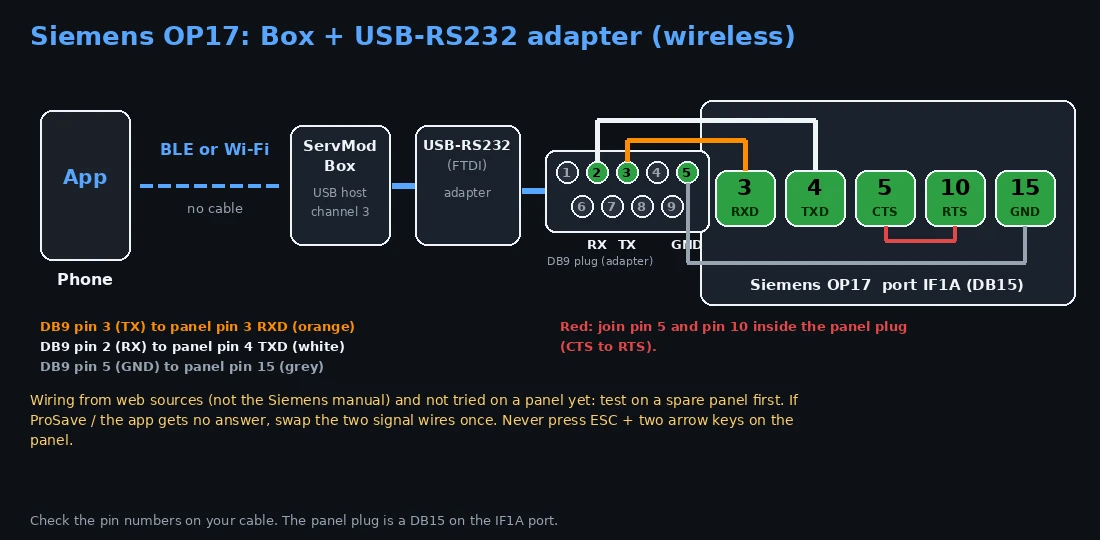
How to connect it
- USB-RS232 adapter (FTDI) to the DB15 IF1A port of the panel.
- ServMod Box with the USB-RS232 adapter plugged into its USB host port, wireless to the phone.
Terminal names differ between production batches. Check the names printed on your unit before you wire anything, and bench-test before you touch a production machine.
What you can do with it in ServMod
- Record a ProTool or ProSave transfer into a backup file on the phone.
- Write the file to a spare panel. Part of the Pro plan.
Good to know
- Record a ProTool or ProSave transfer into a backup file and write it to a spare panel.
- Experimental. Use spare panels only.
- ServMod is an independent tool. It is not made, approved or supported by Siemens.
Same brand: Siemens SINAMICS V20.
Using a different panel? Tell us which one you need. See also the cables and adapters you need.